
OST to PST.
No Outlook.
No cloud.
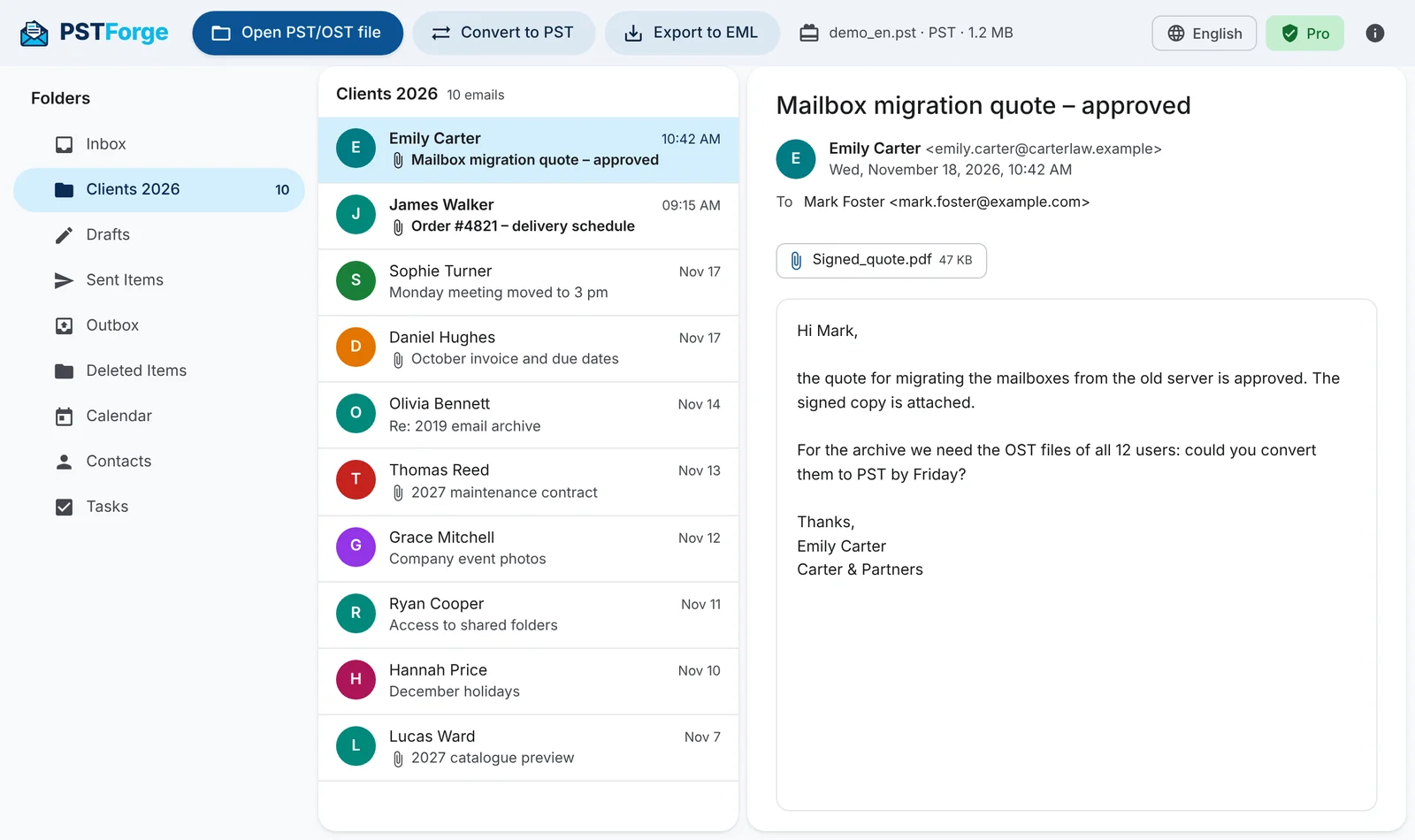
PSTForge opens Outlook files, shows you emails and attachments and converts them to a PST that's ready to open. Everything runs on your computer: your emails are never uploaded anywhere.
- 100% offline
- Windows 10 and 11
- No installation
Your emails never leave your computer
Many online converters ask you to upload your mailbox to an unknown server. PSTForge doesn't: it reads and converts the files right on your PC.
No uploads
No server processes your emails: the file is read and converted only on your disk, even without an internet connection.
No account
No sign-up and no Microsoft sign-in. Open the file and get to work.
Original untouched
PSTForge opens files read-only: your original OST or PST is never modified. The result is always a new file.
The only connection is activating your Pro licence, which sends just the licence key and an anonymous PC identifier. Never names, addresses or email content.
Get back the mail you thought was lost
Account removed
The Exchange or Microsoft 365 mailbox was deleted and only the OST file is left? Convert it to PST and open everything in Outlook again.
New PC
Moving to a new computer or reinstalling Windows: take the mail from your old OST with you as a PST.
Former employees
Archive the mailboxes of people who left the company as PST files to keep or search.
No Outlook
Just need to read an email or grab an attachment from a PST or OST file? Open it without installing Outlook.
Everything you need, nothing you don't
OST → PST with verification
Rebuilds a clean new PST with folders, emails, recipients and attachments, then reads it back to confirm nothing is missing.
Full preview
Browse folders and emails just like in Outlook: text, HTML, recipients and attachments, even before you buy.
EML export
Save emails as .eml files that open in any mail program, keeping the folder structure.
Mailboxes in any language
Recognises Inbox, Sent and Deleted Items even in German, Japanese or Russian mailboxes, with the right characters.
Split large PSTs
Choose a maximum size and PSTForge creates several PSTs, each with the same folder structure. The PST is always created compacted.
Search and selective conversion
Search by subject or sender across all folders and convert only the folders or date range you need.
Three steps, a few minutes
Open the file
Choose the .ost or .pst file: PSTForge reads it and shows you folders and emails.
Check the preview
Make sure everything you need is there, already in the Demo version.
Convert
With the Pro version you create the PST and open it in Outlook from File > Open & Export.
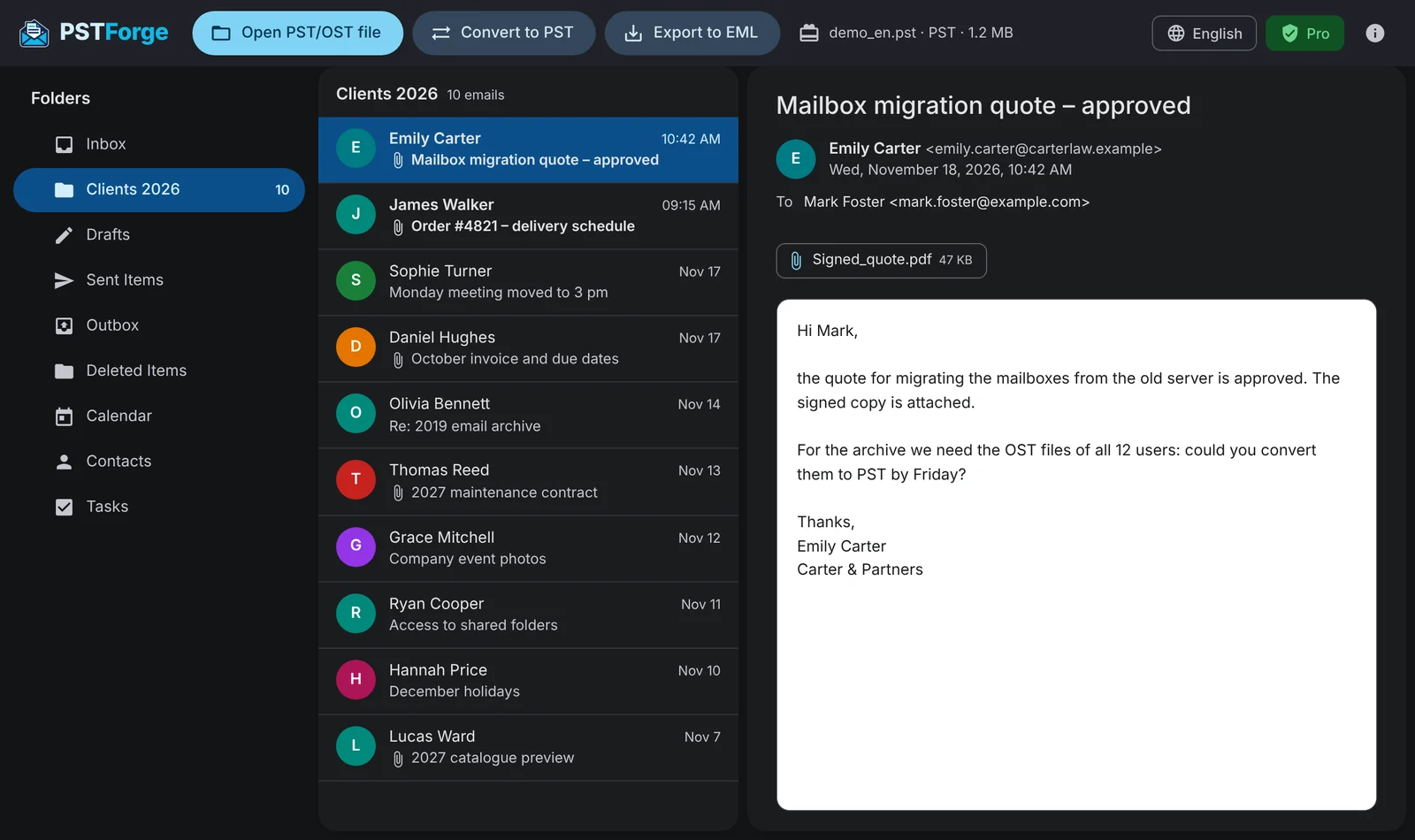
Clear, modern and with a dark theme
One payment, no subscription
Try it free with the Demo and upgrade to Pro only once you're sure it's right for you.
Demo
To try the program on your own files.
- Open OST and PST files
- Full preview of emails and attachments
- EML export of the first 10 emails
- Conversion to PST
- Saving attachments
Pro
To convert and recover all your mail.
Lifetime licence for 2 PCs
- OST → PST conversion with verification
- Split large PSTs and selective conversion
- Unlimited EML export
- Save attachments
- Activate on 2 PCs
- Lifetime licence, no renewals
Secure payment through our reseller. You receive your licence by email right after purchase.
- System
- Windows 10 and 11 (64-bit)
- Supported files
- Unicode OST and PST (Outlook 2003 and later, including Microsoft 365)
- Exports to
- PST, EML
- Languages
- English, Italian
Questions? Here are the answers
Do I need Outlook installed?
No. PSTForge reads OST and PST files on its own. You only need Outlook if you want to open the converted PST.
Are my emails uploaded online?
No. Reading, previewing and converting all happen on your PC. Licence activation sends only the key and an anonymous computer identifier.
What can I do with the Demo version?
You can open your files, see all folders, emails and attachments and export the first 10 emails to EML. That way you check your file is read correctly before you buy.
How many computers can I use the Pro licence on?
Two PCs. If you change computer you can deactivate the licence on the old one and activate it on the new one.
Is the original file modified?
Never. PSTForge opens files read-only and always creates a new file.
Does the licence expire?
No. You pay once and the licence stays valid forever.
Which files are not supported?
Old ANSI-format files from Outlook 97-2002 are not supported yet. Try your file with the free Demo: if it opens, conversion will work.
Try PSTForge on your own files, free
Download the Demo, open your OST or PST and see your emails right away. No sign-up.